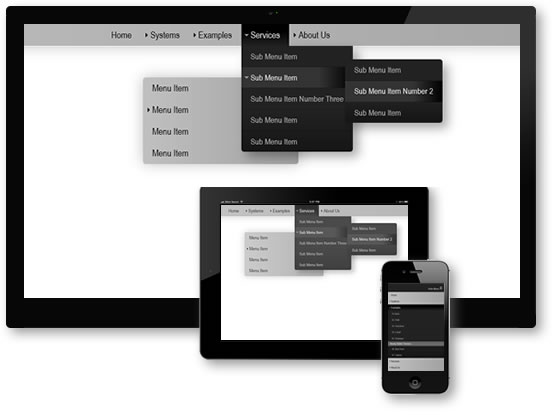
Pop Menu Magic 2...The Ultimate Multi-Level Menu Builder for Dreamweaver
PMM2 Features...
- Insert Multiple menus on a page—either horizontal, vertical, or any combination.
- Each menu can use a separate style theme.
- 12 style themes included, each one in both a horizontal and a vertical version
- Interface option to position flyout menus to the left or right of the root
- Interface option to set vertical offset and horizontal overlap in pixels
- Interface option to automatically center a menu inside whatever container it is inserted within
- In a horizontal menu, the first sub-menu can be aligned to the left edge of its trigger, the right edge, or can be centered and justified, meaning the first dropdown will be positioned at the left edge of its trigger, the middle dropdowns will be centered under their triggers, and the last dropdown will be aligned to the right edge of its trigger
- Menus optionally support 4-state image rollovers in the root level, the sub-levels, or both. You can have a combination of text and image-based links at any level. You choose which states you want to use.
- Auto and advanced current marking (for all menus on your page) for "you are here" link highlighting. Current marking now supports multiple links in the same menu.
- URL parameters now fully supported for current marking matches
- Animation methods: Reveal down, reveal right, combo reveal (for horizontal menus), slide text, or none
- Submenus can be set (for any menu on your page) to open upwards. That means you can place a menu in a footer that pops upward instead of dropping down.
- Dom-scripting provides class hooks into virtually all areas of the menu allowing unprecedented styling flexibility. For instance, The system automatically assigns a special CSS class to the first and last links in the menu in order to facilitate styling that requires exception rules for these links. The pmmfirst class is assigned to the first link (and also its <li> parent tag) in the menu and the pmmlast class is assigned to the last link (and its <li> parent tag) in the menu.
- Arrow images are automatically assigned in the proper orientation for all menus based on user options. For instance, for a normal horizontal drop-down, the root link triggers have down-pointing arrows. Flyouts set to open to the right have right-facing arrows, menus set to pop upwards get top-facing arrows.
- Auto edge detection. The system detects when a sub-menu will not have room to display inside the window with its normal offests and will reposition it to appear inside the window.
- All menus are timed to enable normal mouse movement, even at a diagonal, without having the menu snap shut prematurely
- Pop Menu Magic is accessible - with or without JavaScript enabled
- The system is search-engine friendly.
- Supports Apple iPhone, iPod, and iPad